![[WIP] Podcast logo](https://assets.zyrosite.com/cdn-cgi/image/format=auto,w=375,fit=crop,q=95/Yan01MjyJEH16nVN/black-background-AMqDQ54p9xtwjbqg.png)
13: Exploring TypeScript: TS Compiler
What is it? How can we best leverage the compiler?
7/16/20244 min read
This is part of a semi-monthly series that will put TypeScript under a microscope to become more adept overall. 🔬
Understanding the nitty gritty bits and pieces of a language can only benefit us as software builders!
This post will cover the TypeScript Compiler.
🤔 What is tsc (TypeScript Compiler)?
🦾 How to best leverage the compiler as a tool
📚 Resources for further reading
Let's dive in!
🤔 What is tsc (TypeScript Compiler)?
TypeScript is free and open-source. Microsoft originally developed and released it in 2012. This language is often best used in larger or more complicated projects.
If you’re unaware, TypeScript is a superset of JavaScript that adds static typing to JavaScript syntax and functionality. This offers a level of type safety to help developers reduce mistakes, and, in my opinion, it broadens the context of the codebase, making it more readable for teammates and your future self!
So, what the heck is a compiler?
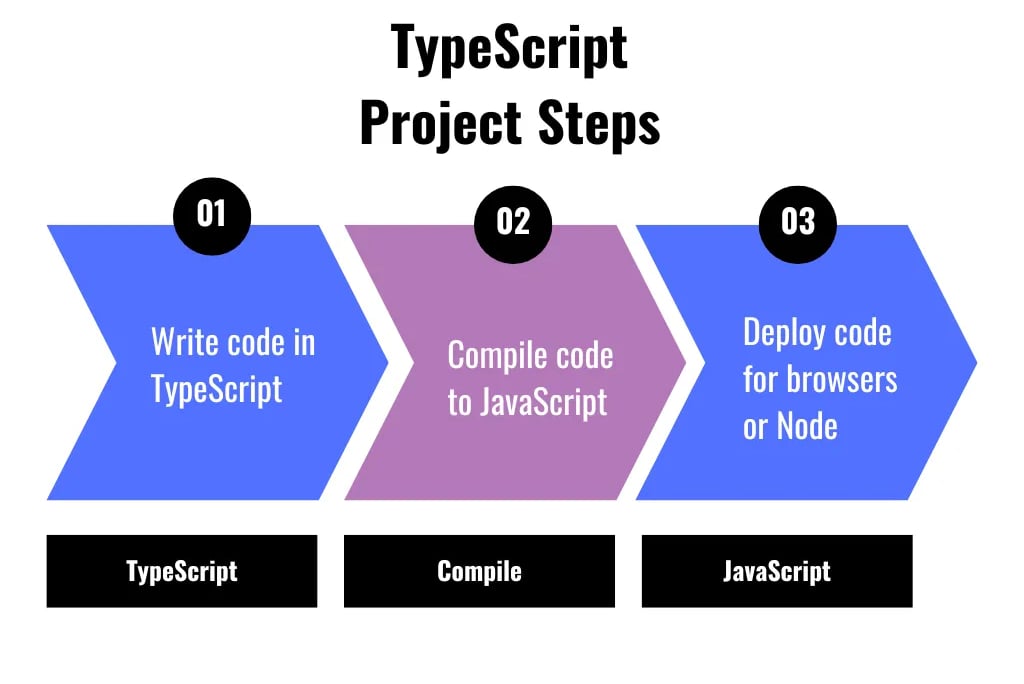
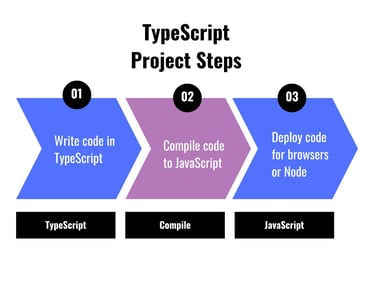
In our case, TypeScript is being compiled into the higher-level language of JavaScript to be understood and used by browsers or a Node environment. Once that’s completed, the JavaScript version of your project can then be deployed.
Note that this differs from transpiling, which we will discuss in a future post.
Technically, other compiler options, like Babel, could be used. However, in my own experience, I’ve most often seen the TypeScript Compiler. In any case, we need to convert TypeScript code to JavaScript code!
Oh, and did you know that tsc is actually also written in TypeScript and compiled into JavaScript?
🤯 I know, it blew my mind, too, when I heard Josh Goldberg mention this in a recent talk I heard!
Do you want more straight to your inbox?
Subscribe to receive occassional blog posts!
Your contact information will never be sold.
🦾 How to best leverage tsc as a tool
Okay, I think I get it, so how do I use it? 🛠️
Well, to start, you need to ensure you install TypeScript. You can do this globally:
For a specific project, navigate to your project folder in the terminal or your favorite IDE:
Then, you can run the TypeScript compile command in the terminal:
The above command will perform the compilation step of the TypeScript file and output a compiled JavaScript file with a similar name and a .js file extension: <file-name.js>
Overall, it’s pretty simple to use, and I use it often in my package.json scripts! If you want to get a little “fancy,” you can also make use of the many tsc CLI options in your scripts or directly in the terminal.
`tsc` is installed, and I can generate JavaScript files! But how can I have more control over the TypeScript Compiler? ⚙️
The best way to manage your compiler output (as well as other TypeScript usage details) is through the tsconfig.json file. You can set up the TS project and this special file using the command:
This file is - you probably guessed it - a JSON file stored in the root level of a TS project. Here, you can determine specific runtime mechanic choices for your unique project using the various options available.
You can set up your project details, such as whether or not you want “strict” checks, what JavaScript features you want supported in the compiled version, and which project files to include or exclude.
There are so many configurations you can use! In fact, each of the various TS projects I’ve worked on has a uniquely different tsconfig file based on the needs of the team and the project.
Anything else I should know? ⛓️
You’re not limited to one single tsconfig file!
Perhaps your overall project needs unique frontend and backend settings. Similarly, if your project supports browsers and Node a bit separately, you might want to create different compiler output files for better support in each environment. Or, if you want to create a debugger setup that maps the files (see example below) but don’t want this to happen for your typical build, it could be a good idea to have a separate tsconfig for this process.
I could keep brainstorming, but I think you get the point.
So, how does one extend a tsconfig file or use more than one one?
Put simply, use the extends option and reference the base file. I found an example here that shows this pretty well. [The example is an older reference. Some options may have changed with newer TS version releases!]
Here is a simplified file example from my own usage, too:
Then, we have a debugger setup in which we want to ensure everything else is the same, but in this case, we want source mapping to be used:
When we want to run the debugger, this extended tsconfig file is used on top of the original!
📚 Resources for further reading
Visual Studio Code tsconfig details
O’Reilly Books:
Effective TypeScript by Dan Vanderkam
A snippet from this book via O’Reilly
Learning TypeScript by Josh Goldberg
I haven’t read it as of this writing, but I’ve seen him speak a few times, and I’m excited to start it after wrapping up a couple of other books!
TypeScript Cookbook by Stefan Baumgartner
I haven’t read it as of this writing, but I’ve heard good things and it’s on my list.
Thanks so much for reading! ✨
Did I miss anything, or would you like to add anything?
Let me know!
I appreciate constructive feedback so we can all learn together. 🙌
Connect
You can find Mindi Weik on these platforms:
mindi@wip-podcast.com
© 2025. All rights reserved.